Launching this year

Can't remember where you applied?
We do.

Paste the posting or drop a screenshot, and InRepply fills the application form for you. Track every stage, every reply, every offer, all in one place.

Applications

12 applicationsRecent activity
Vistula TechIn progress
Senior UX Designer22–28k PLN / mo
WarsawHybrid
Sep 2Activity: today
Sowa AIIn progress
Product Designer20–26k PLN / mo
RemoteB2B
Sep 8Activity: 3 hours ago
Tatra LogisticsOffer
Product Designer21k PLN / mo
WarsawHybridFull-time
Aug 12Activity: 6 hours ago
Lumen BankIn progress
UX Researcher14–18k PLN / mo
GdańskHybridFull-time
Sep 10Activity: yesterday
Bursztyn GamesAccepted
Lead Product Designer25–32k PLN / mo
RemoteB2B
Aug 28Activity: yesterday
Northwind LabsSent
Senior Product Designer18–24k PLN / mo
WarsawHybridFull-time
Sep 22Activity: 2 days ago
Mazury CloudIn progress
Design Systems Designer19–23k PLN / mo
PoznańHybrid
Aug 25Activity: 2 days ago
Nordic RailIn progress
Service Designer
WrocławOn-siteFull-time
Sep 1Activity: 4 days ago
Kolibri PaySent
UX Designer
RemoteB2B
Sep 20Activity: 5 days ago
Orbis HealthSent
Product Designer16–20k PLN / mo
KrakówOn-site
Sep 12Activity: 12 days ago
Wawel CommerceRejected
UX Designer
Remote
Aug 5Activity: 3 weeks ago
Paprika StudioWithdrawn / No reply
UI Designer
Aug 15Activity: 5 weeks ago
How it is now

Applying isn't what eats your time. Keeping track is.

A spreadsheet you never open

30 tabs, no overview

Spreadsheets get out of date. Tabs get closed. You forget who you applied to last Tuesday.

Retyping the ad into a spreadsheet

Every role logged from scratch

Company, role, salary, link, date sent. The same fields every time. By the thirtieth application that is hours of typing.

Waiting in the dark

Ghosted, with no insight

You never know which companies actually replied, or how long the wait usually is.

How it works

Four steps. No spreadsheets.

From "I just saw a job I like" to "I have an offer" in a single, beautiful app.

01
Capture

Add an application

Type it in, or drop a screenshot of any job posting. AI extracts the fields so you don’t have to retype a thing.
Screenshot14 fields autofilled
Add an application
02
Organize

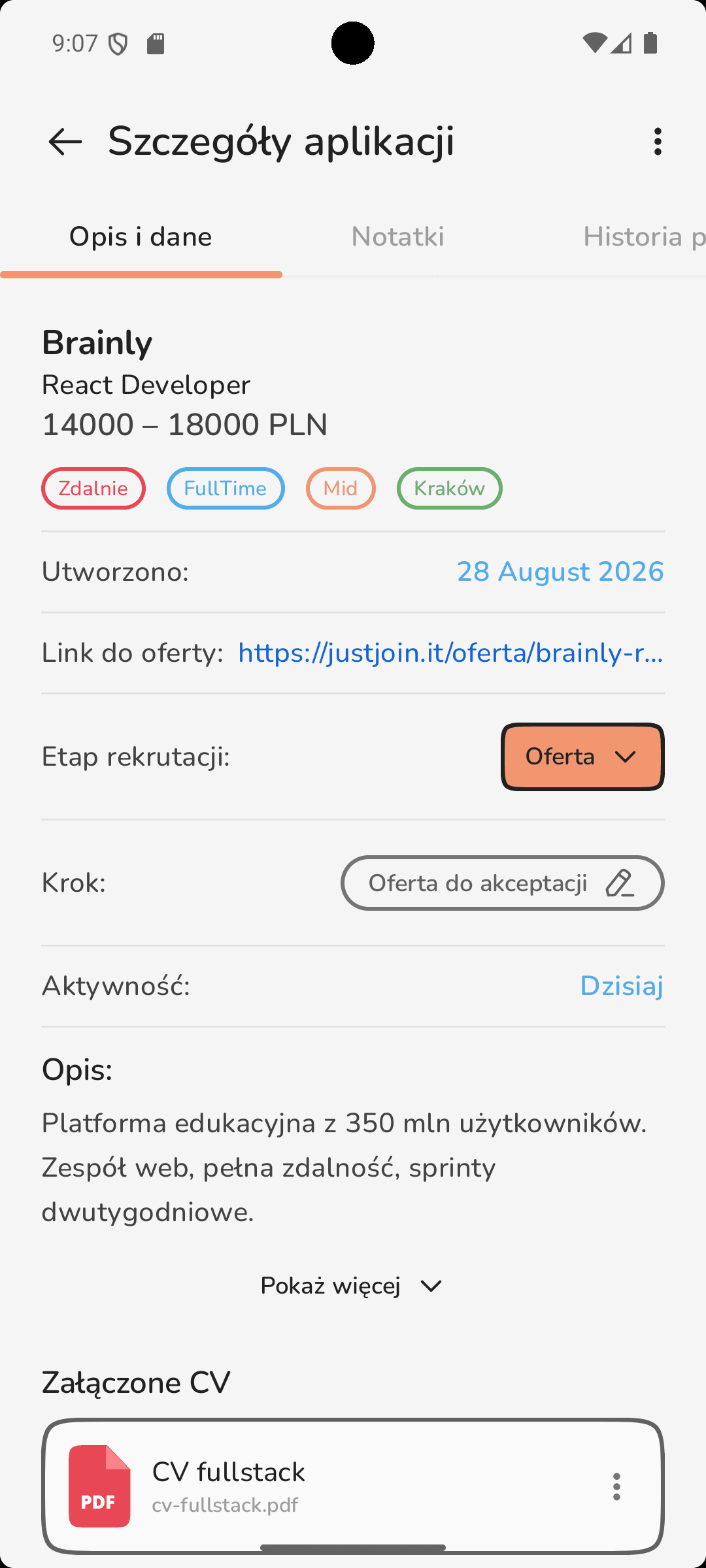
Track every stage

Drag cards between Sent, Reply, Interview, Task and Offer. Always know what’s moving forward and what needs a nudge.
SentInterview
Track every stage
03
Analyze

See the patterns

Where are your replies actually coming from? See response rates, conversion and top sources at a glance. Double down on what works.
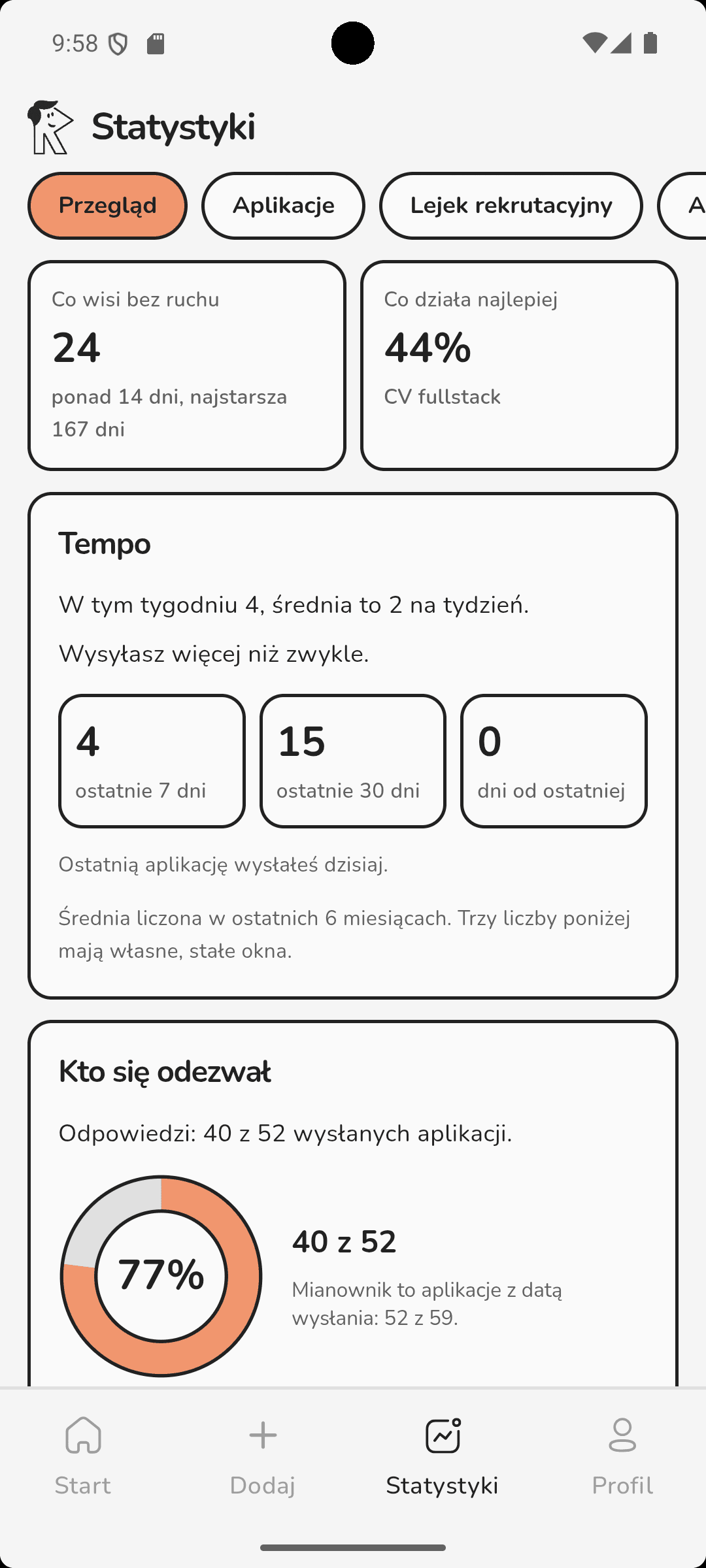
Top sourceReferrals · 42%
See the patterns
04
Decide

Land the right job

When the offers come in, see compensation, equity and terms side-by-side. Make the call with the full picture in hand.

Offer receivedCompare TC

Everything a spreadsheet quietly loses.

Reminders

Set a deadline on the application itself. No separate calendar.

Recruiter contact

Name, phone and email on the role. Call in one tap.

Required skills

Pulled from the posting, so you know what to prepare for.

CV on the application

The exact CV version you actually sent stays with the role.

Three ways in. One filled form.

Paste the posting, drop in a screenshot, or type it yourself. The rest happens on its own and you just check that it is right.

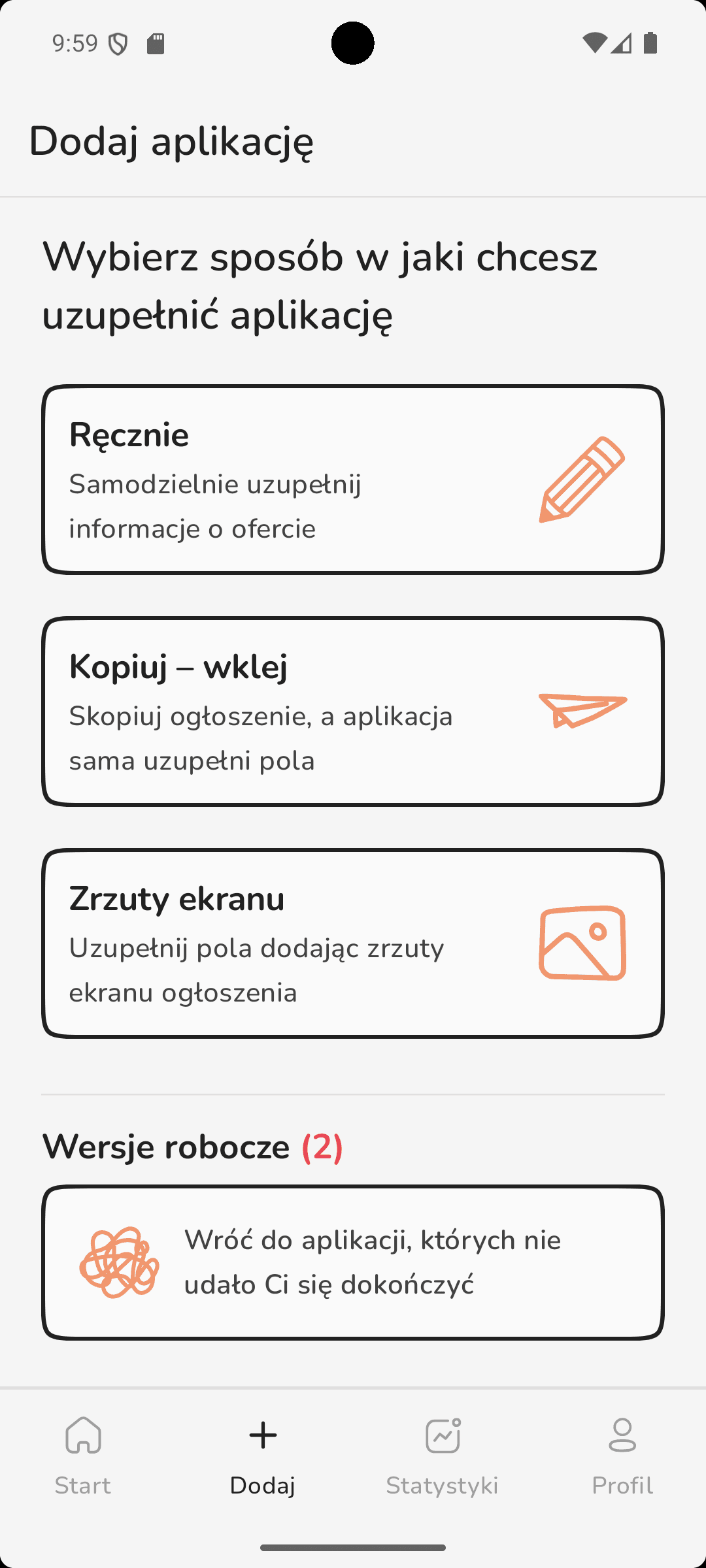
  1. Screen for choosing how to add an application: manually, copy-paste or screenshot

    Pick a way in

    By hand, copy-paste, or a screenshot of the posting. Whichever suits you.
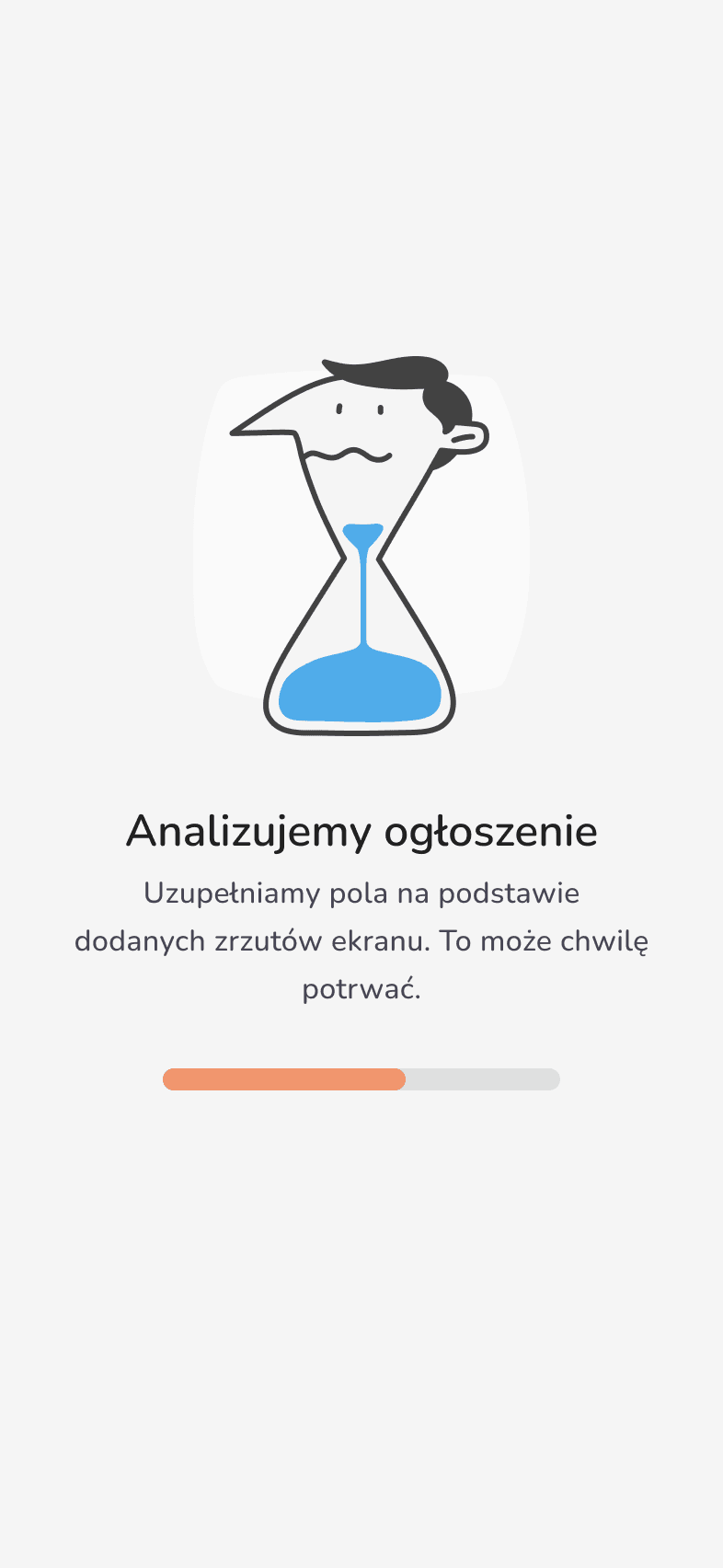
  2. Screen showing the AI analysing a job posting with a progress bar

    The AI reads it

    It pulls out the company, role, salary range, work mode and required skills.
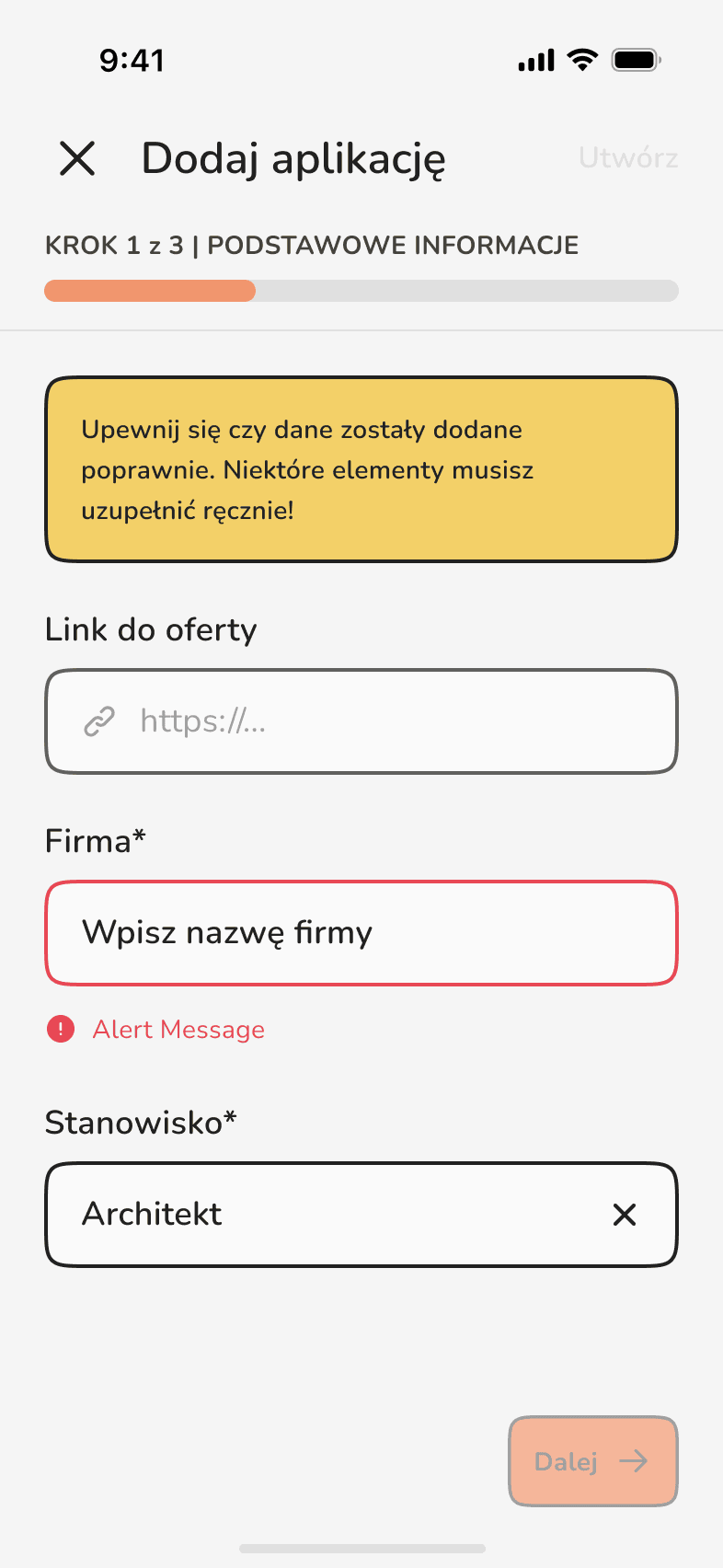
  3. Final step of adding an application with CV attachment and contact details

    Check and save

    Fields flagged in yellow are yours to fill. We do not pretend the AI is never wrong.
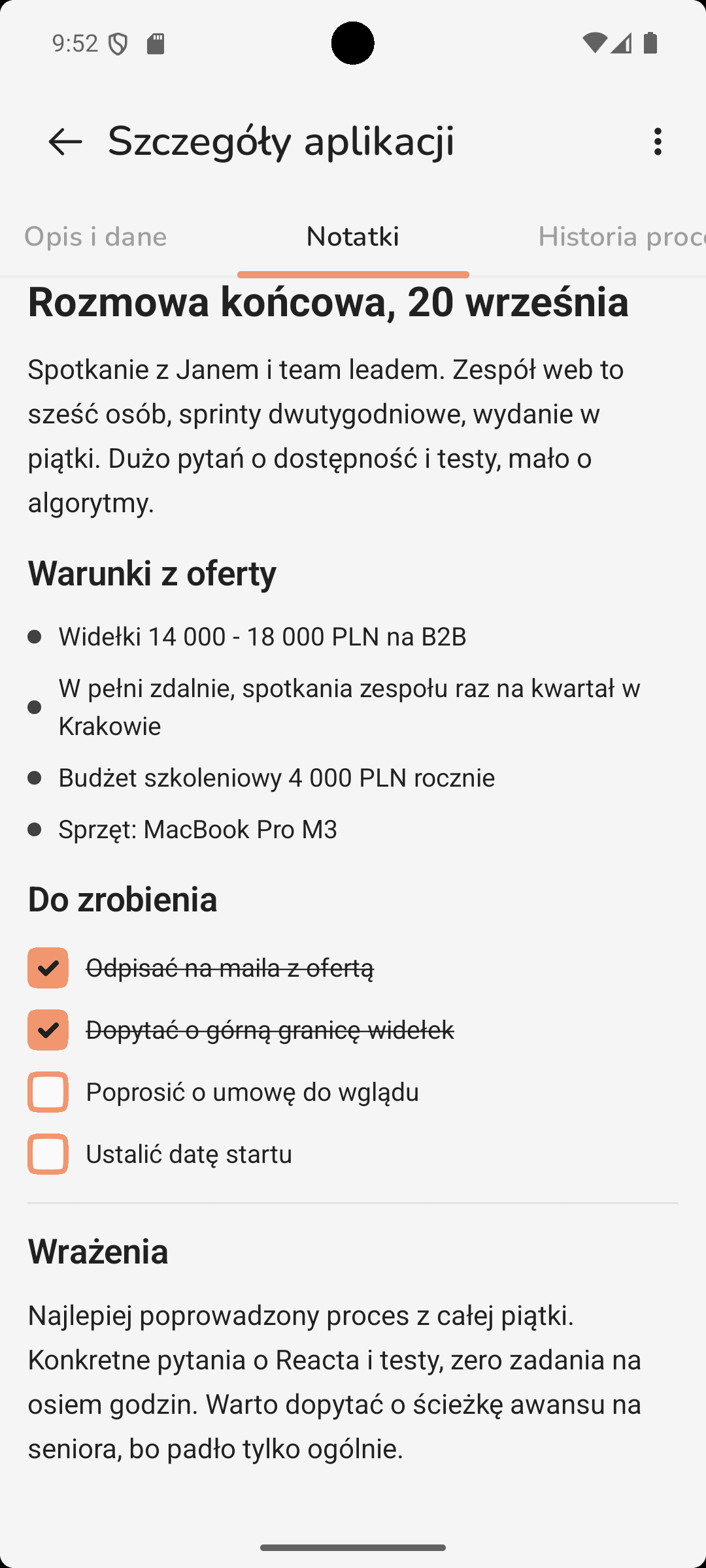
Block-based note editor on an application with headings, a bulleted list and checkboxes

Notes that work like Notion.

Every application gets its own block editor. Interview questions, screening feedback, a photo of the take-home task, all on the role they belong to instead of in a separate file.

  • Headings and text

    Format it however you like.

  • Task lists

    Tick off what you need to prepare before the call.

  • Inline images

    Drop in a photo of your notes or a whiteboard task.

  • Attachments

    PDFs and files kept with the specific role.

Gemini Integration

Ask Gemini about your applications.

On Android, InRepply integrates directly with the Gemini assistant. Ask about your stats, reminders, or offer statuses. Gemini answers in natural language, based on your live data.

  • "Hey Gemini, how many interviews do I have scheduled this week?"
  • "Which companies haven't responded in over 7 days?"
  • "Add a reminder for the recruitment task at Kormoran Software."

Before you sign up.

Job hunting doesn't have to be a full-time job.

Automate your application tracking so every hour goes toward what actually gets you hired: the interview.

Which phone do you use?

No spam. We'll email when we launch.